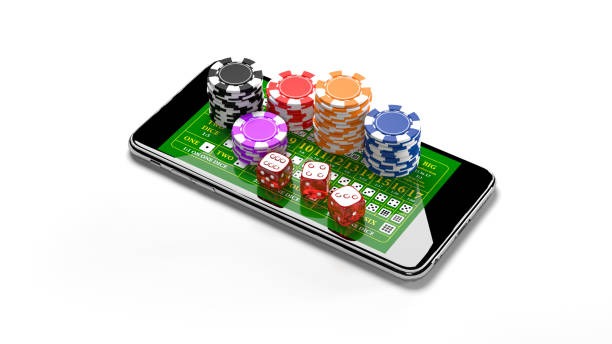
lintas88 Brings Indonesia One Connected Lobby
Lightning Roulette Room, Golden Garuda Slots and Football Goal Rush sit inside one lintas88 home, with DANA, OVO, GoPay and QRIS shown…
Six Headline Rooms Across Casino and Slots
Our opening row keeps casino and slots within one tap of the home screen. You can move from Golden Garuda Slots to Lightning Roulette Room without searching through…







Casino, Slots and Sports Share One Map

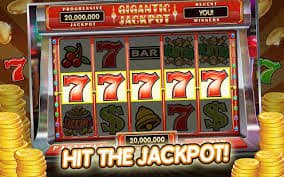
Three main areas shape the home lobby: casino tables, slot rooms and sports markets. Golden Garuda Slots gives you a direct slot entry, while Lightning Roulette Room opens the live-table side beside baccarat, Dragon Tiger and blackjack context. Balloon Mobile Play, Crash Countdown Round and Fishing War Mobile Play add shorter game formats without hiding the main categories. Football Goal
Rush connects with football markets, and the sports area also carries badminton and basketball context for Indonesia. We keep these sections on one account map, so you can check your wallet status before changing categories rather than returning to a separate cashier page.
Four Rails, Three Sports, One Account
Three Steps Before Your Lobby Opens
Your account path begins with the details requested on the opening form, continues through phone verification and ends at the lobby after that check is complete. We keep the phone step before account access so an incorrect number can be corrected before wallet activity begins. Once verified, the same account reaches casino rooms, slot search, sports markets and the cashier.
Use accurate details because payment receipt checks and withdrawal checks may refer back to the account record. If a verification prompt stalls, return to the account panel rather than creating another profile; its help route sits close to the login and cashier controls.
Lightning Roulette Leads the Live Table Row
DANA Status Sits Beside Withdrawal Checks
DANA and QRIS give you named deposit routes without wallet guesswork, while OVO and GoPay display their own status inside the cashier. After you select a rail, follow the amount and destination shown on that screen; the cashier updates the transaction after confirmation reaches the account. Bank transfer and virtual account routes may reference BCA, BRI, Mandiri or BNI when
available. Withdrawals follow a separate check: we compare the request with your verified account and show its current stage rather than treating it as a deposit reversal. Keep the receipt reference visible if you contact the payment-status help path.
Four Checks Behind Each Account Session
Clear controls matter most when account access and money status meet. Our home page places phone verification before the lobby, named wallet rails inside the cashier, receipt checks beside payment status and…
Phone check first
We require the displayed phone verification step before account access. This reduces confusion caused by mistyped contact details and gives you a clear correction point before using the cashier.
Named payment status
Each available DANA, OVO, GoPay or QRIS route is identified in the cashier. You can match the selected rail with the transaction record instead of relying on a generic wallet label.
Connected device route
The mobile path runs from account access to lobby categories and then to the cashier. You do not need a separate account when moving between casino, slots and sports.
Visible policy access
Account and payment terms remain reachable from the relevant home and cashier areas. Check them before submitting a transaction, especially when regional access or a verification requirement applies.
One Mobile Route From Login to Lobby
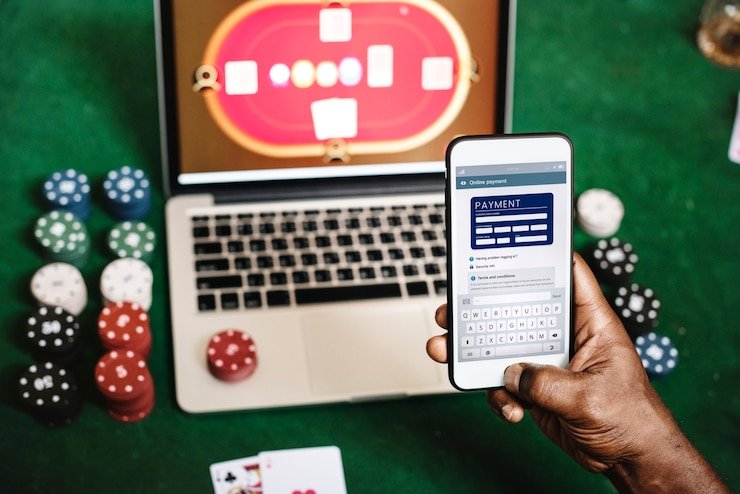
A phone browser takes you from account access to the lobby through one continuous route. The category row keeps casino tables, slots and sports available without sending you through a second login, while the cashier places QRIS beside DANA, OVO and GoPay. Golden Garuda Slots has a direct search target, and Balloon Mobile Play plus Fishing War Mobile Play fit
the shorter mobile game path. For live tables, keep a stable connection because roulette, baccarat, Dragon Tiger and blackjack use streamed table content. If the wallet screen pauses, check its recorded status before submitting the same payment again.
Four Indonesia Wallet Rails at Home
Our payment row names the local wallet before you enter the cashier, so you can see whether DANA, OVO, GoPay or QRIS matches your normal route.
Golden Garuda Slots Stays Easy to Find
Our mobile game row keeps casino and slots close to wallet status. Search for Golden Garuda Slots directly, or move toward Balloon Mobile Play, Crash Countdown Round and…
Phone Verification Protects the Account Door

Phone verification is completed before your first account access, creating a clear boundary between the opening form and the active lobby. Enter details that you can verify and avoid creating duplicate profiles if the prompt does not finish. After access, keep your credentials private and leave the session when using a shared device. Payment checks use the account record, so
mismatched details can delay the point at which a withdrawal request moves forward. Our home page keeps the account panel near the cashier route, giving you one place to inspect access status, reach help and open the applicable account terms before making another request.
Three Help Routes Near the Cashier
Account access, wallet status and payment receipts create different questions, so our home page separates their help routes. Use the account panel when phone verification or login access stalls. Use the cashier status control when DANA, OVO, GoPay, QRIS, bank transfer or virtual account activity is not reflected as expected. For a receipt check, keep the transaction reference and selected rail available before sending your request. Current service availability is displayed in the help area itself, allowing you to check the active assistance path without relying on hours or contact details copied from another page.
Account access help
Open the account help path when phone verification or login access does not complete. Keep the phone detail used on the account ready, and avoid opening a second profile.
Wallet status help
Use the cashier path for a DANA, OVO, GoPay or QRIS status question. State the selected rail and check the transaction record before sending another payment.
Receipt checks
For bank transfer, virtual account or wallet receipt checks, retain the transaction reference and displayed destination. These details help us match your request with the correct cashier record.
Indonesia Access Starts With a Region Check
Availability across Indonesia depends on local law, and the account screen determines whether access can continue from your region. We present that check before treating the lobby or cashier as available to you. Where local law permits, one verified account connects casino tables, slots, football, badminton, basketball and the supported local payment rails shown in your cashier. Regional payment availability
can still differ, so a wallet named on the home page may not appear for every account at every moment. Read the accessible terms before opening an account, and use the account help path if the region or verification screen returns an unclear result.
Seven Answers About the lintas88 Home
These answers cover what you can verify directly from our home page before opening an account: lobby categories, phone checks, local wallet rails, mobile behaviour, withdrawal status, support paths and Indonesia availability. We point you to the screen that controls each action rather than making broad promises about transactions or access. The home page is the starting point, while your account and cashier show the options currently available to you. If a displayed method or category differs after access, follow the account screen because it reflects your current region and status.